
If you work in digital marketing, you've sat through about three years of vendor decks that all said the same thing: "We've added AI." Some of it was useful. Most of it was a sidebar. A copilot here, a generator there, a "smart" toggle in a settings panel nobody opened twice.
Adobe Summit 2026 was different, and I don't say that lightly.
This wasn't another release where AI got bolted onto an existing product. Adobe rebuilt the operating model. Agents aren't a feature inside Experience Cloud anymore - they are the workflow. The product names changed, the category structure changed, and the demos on stage were no longer about "look what AI can help you do" but "look what AI is doing while you sign off on it."
I know most CMOs are tired of agentic hype. Fair. But this one is worth your attention, because Adobe is one of the few vendors with enough of the customer data, content supply chain, and execution layer in one place to actually pull it off. Here's what happened and, more importantly, what I think it means for you.
From Experience Cloud to CX Enterprise - what the rebrand actually signals
Adobe Experience Cloud is now CX Enterprise. I rolled my eyes at first too. Renames are usually a tell that nothing real has shifted underneath.
This one is different.
The rename is signalling a bet: that the category is no longer "marketing technology" but customer experience as an enterprise discipline — owned across marketing, service, commerce, and IT. It's also Adobe drawing a line in the sand against the Salesforces and HubSpots of the world, who are coming at the same problem from CRM.
To ground the scale: Adobe says the underlying Experience Platform now powers more than 1 trillion experiences a year, and AEP ARR grew over 30%. That's not a roadmap company. That's a vendor with real production volume making a real platform bet.
The rebrand isn't the story. The reorganisation underneath it is.
The new shape of Adobe's analytics portfolio: meet CX Analytics
The cleanest example of the reorganisation is on the analytics side. Adobe collapsed its analytics products into a new umbrella called CX Analytics. Inside it sits:
- Data Insights Agent - agentic analytics that surfaces insights, explains trends, and recommends next actions
- Proactive Insights - anomaly alerts before you think to ask
- Root cause analysis
- LLM conversation insights - analytics for AI-driven chat experiences (this is new and quietly important)
- Traffic measurements
- Marketing Campaign Analytics (MCA) - significant upgrades, more on this below
- Content Analytics - now with omnichannel insights
Why does this matter? Because the structure is the message. Adobe is signalling that analytics, AI, and action are now one product surface - not three teams shipping three roadmaps that meet in a Slack channel. If you've ever had to manually hand off "the data team found something" to "the campaign team will do something about it," you know exactly the friction this is trying to remove.
Marketing Campaign Analytics (MCA) and the move to causal AI
Now the deeper one.
If the name is new to you, MCA is what Adobe used to call Mix Modeler - now broadened, renamed, and pulled into the CX Analytics umbrella. Same DNA, bigger ambition. We've been hands-on with Mix Modeler since the early days, among a handful of teams in EMEA who have run a full implementation, so this is one of the announcements I have a particular interest in watching play out in production rather than in a keynote.
What's actually new is the causal AI layer. In plain language: instead of attribution based on correlation and a finance team's gut feel, MCA is trying to tell you what actually drove the outcome.
Last-touch attribution has been broken for years. Multi-touch attribution is better, but anyone who has tried to defend a model in front of a CFO knows it's still a polite fiction - every vendor's model conveniently flatters the channels they sell. Causal inference is a different mental model. It asks: if this campaign hadn't run, what would have happened? That's the question your CFO is actually asking. It's also the question marketers have been bad at answering for two decades.
Adobe is positioning MCA at three audiences: Marketing Ops (cleaner decisions), Revenue Ops (budget credibility with finance), and AdTech teams (defensible spend allocation). All three need the same thing: a number they can put in a board deck without asterisks.
I'll be honest. The proof will be in the implementation, not the keynote. Causal inference at the scale Adobe is promising is genuinely hard, and "we have a causal model" has been said before by vendors who shipped a slightly fancier regression. I want to see the methodology, the assumptions, and the customer results. But it's the most interesting analytics announcement of the show.
Brand Concierge: from chatbot to commerce surface
Brand Concierge was a chatbot at last year's Summit. This year it isn't.
It's now a conversational layer that connects product discovery, search, support, and loyalty - and crucially, it now reaches into commerce. Real-time product details, checkout, the whole motion can happen inside a conversation. Adobe announced ecosystem partnerships with [24]7.ai, Algolia, and Netomi, which is what makes this credible: those are the names that handle conversational CX at scale today.
The mental model shift: Brand Concierge isn't a feature on your storefront. It's a surface your customers will increasingly start their journey on, and Adobe wants to own that surface end-to-end with governed agentic AI underneath.
If you sell anything online and you're still thinking of "chat" as a cost-to-serve support tool, this is your nudge to revisit that assumption.
Agent Orchestrator: the plumbing CMOs should actually care about
Most CMOs will skim past this announcement. Don't.
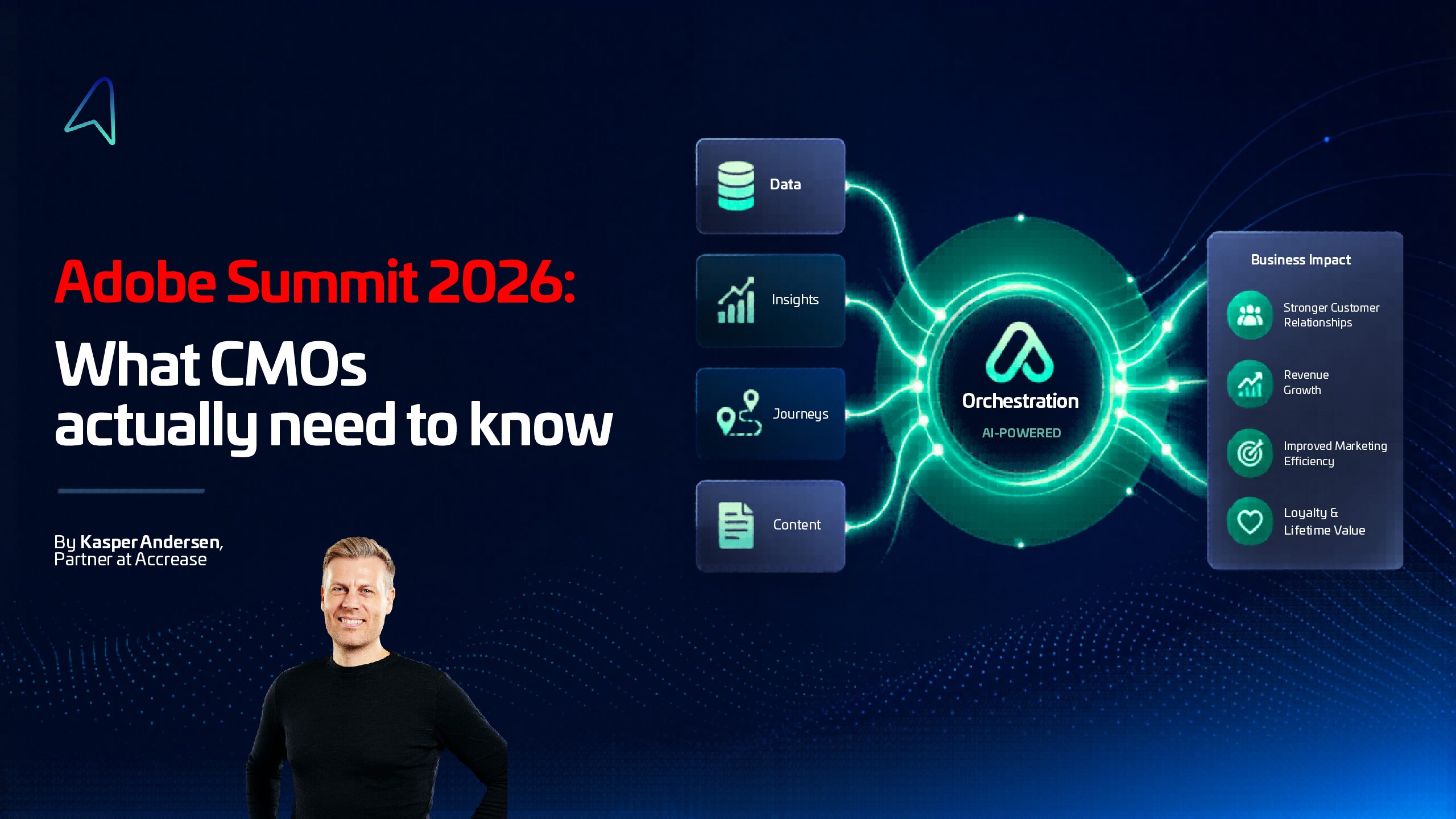
The Adobe Experience Platform Agent Orchestrator is the most strategically important thing Adobe shipped at Summit 2026, and it's also the least sexy. It's the coordination layer, not a single AI model, but the modular architecture that routes tasks to specialized agents, manages shared memory across them, and connects Adobe with third-party systems through Model Context Protocol (MCP) endpoints.
Translation: this is what lets agents from Microsoft, Google Cloud, OpenAI, Anthropic, AWS, IBM, and NVIDIA actually work together with Adobe agents on a shared task, with shared context, against your data - instead of stepping on each other.
None of this works without a clean data foundation underneath. If your AEP collection layer is still on legacy libraries, you're going to feel that pain quickly - the Adobe Experience Platform Web SDK is the prerequisite most teams underestimate going into agentic projects.
The orchestrator is the technical answer to the easy half of the question. The operating model question - who owns the agents, who governs their actions, how human approval flows - is yours to answer inside your organisation. Nobody is going to ship that for you.
If you take one thing away from Summit, take this: the orchestrator is the reason the rest of the stack composes into something useful instead of a pile of features.
MCP servers for Adobe Analytics, CJA, and Journey Optimizer
This one didn't make most CMO recap posts. It should have made yours.
Adobe announced Model Context Protocol (MCP) servers for Adobe Analytics, Customer Journey Analytics, and Adobe Journey Optimizer. In plain English: any LLM-based agent - Claude, ChatGPT, Gemini, or an internal one your team builds - can now talk directly to your Adobe data and trigger actions in Journey Optimizer, with Adobe handling the governance and authentication layer.
That's a quietly massive shift. Today, "asking your data a question" still mostly means opening a Workspace dashboard, exporting to Excel, or DM'ing your analyst on Slack. With MCP servers, that motion collapses into a conversation an agent can run on your behalf - pulling from CJA, validating against Adobe Analytics, then proposing or executing a change in Journey Optimizer.
It's also a hedge by Adobe. They're not pretending you'll only use their agents. By exposing AA, CJA, and AJO as MCP endpoints, Adobe is making sure that whichever agent your organization standardizes on - and there will be a standard - Adobe data and execution stay a first-class citizen rather than a screenshot somebody pasted into a prompt.
For a CMO, the takeaway is short: the question your data team will be asking in the next twelve months is no longer "which BI tool?" but "which agent has access to which surface, and what is it allowed to do?" MCP servers are the answer Adobe is shipping for that question.
CX Enterprise Coworker: the demo that got the room
The headline-grabber was the CX Enterprise Coworker. Goal-driven autonomous agent. The demo: tell it "increase cross-sell performance by 3%." It builds a plan, waits for your sign-off, runs the campaign, and tracks results against the original goal. It pulls from Real-Time CDP, Customer Journey Analytics, and Journey Optimizer to do it.
The room reacted the way Adobe wanted it to.
I'll temper expectations: it's GA "in coming months," which is vendor for "Q3-ish if you're lucky." It's a direction, not a finished product. And "increase cross-sell by 3%" is a clean demo goal - the messy goals real marketers carry don't fit on a slide that nicely. But the direction is right, and the fact that it loops back on the original goal instead of just executing tasks is the part that matters. That's the difference between an agent and a script.
What Adobe Summit 2026 means for CMOs
Here's my honest take. Adobe didn't reinvent marketing at Summit 2026. What they did was make a credible argument that the operating model of marketing is changing, and they're shipping the platform pieces to support that change. That's a more interesting claim than another AI feature reveal, and it's also a more demanding one - because the work of adopting it is yours, not theirs.
If you're a CMO at an Adobe shop, here's what I'd put on your next 90 days:
- Map your current attribution model honestly. If you can't defend it to your CFO without flinching, MCA's causal direction is worth a serious pilot conversation.
- Pick one workflow to make agent-native. Not the whole stack. One. Campaign QA, audience refinement, content variants - something where a human-in-the-loop agent can earn its keep and you can measure it.
- Decide who owns "agent governance" before you need to. It's not IT's job alone, and it's not marketing's alone. Get ahead of it now while the stakes are low.
- Revisit your conversational surface strategy. Brand Concierge plus the [24]7/Algolia/Netomi ecosystem changes the calculus on what "chat" is for.
- Don't rebrand internally just because Adobe did. "CX Enterprise" is their positioning. Your version of customer experience as an enterprise discipline needs to come from your own org, not a vendor deck.
That's it. No big finale.
If any of this resonates and you want to spar on what it means for your specific stack - especially the orchestration and operating-model side, which is where most of the real work hides - happy to have that conversation. We at Accrease have been thinking hard about this exact transition with our customers, and I'd love to hear what you're seeing on your side. Contact us here 😉